Introduction
Instagram comments are more than just engagement. They are signals that someone is interested in your content, product, service, or offer.
When someone comments “LINK”, “GUIDE”, “PRICE”, or “DETAILS” on your Instagram Reel or Post, they are showing interest and expecting a response.
However, manually replying to every comment can become difficult when your content receives hundreds of interactions.
This is where Instagram DM automation helps creators manage conversations more efficiently.
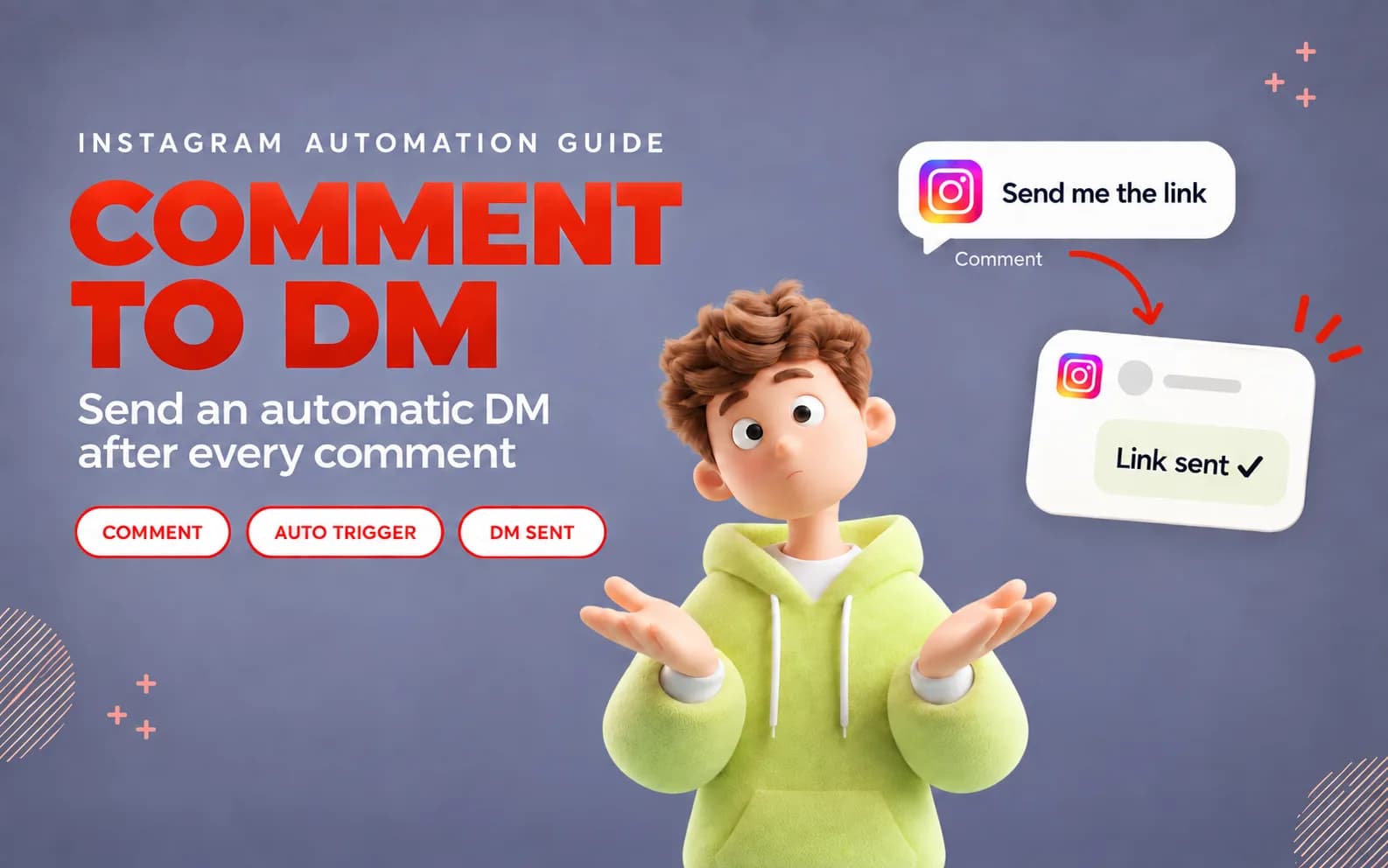
Instagram comment-to-DM automation allows creators, influencers, and businesses to automatically send a direct message after someone comments a specific keyword.
Instead of opening every comment and sending the same reply manually, you can create an automated workflow that delivers the right information instantly.
With tools like Influish, creators can simplify their Instagram communication workflow and manage audience interactions more effectively.
What Is Instagram Comment-to-DM Automation?
Instagram comment-to-DM automation is a process where a comment on your Instagram content triggers an automatic private message.
The workflow is simple:
- A creator publishes an Instagram Reel or Post.
- The creator asks viewers to comment a specific keyword.
- A user comments that keyword.
- The system identifies the comment.
- The user receives an automatic Instagram message.
For example:
A marketing influencer uploads a Reel:
“Comment TEMPLATE and I will send you my free Instagram content calendar.”
A user comments:
“TEMPLATE”
The automatic message:
“Hey! Thanks for commenting. Here is your free content calendar: [link]”
This process is commonly known as:
- Instagram Auto-DM
- Comment-to-DM automation
- Instagram comment automation
- Keyword-based messaging
- Automatic Instagram replies
Why Send an Automatic DM After an Instagram Comment?
Save Time on Manual Replies
Creators often receive repeated questions:
- Where can I get this?
- Send me the link
- What is the price?
- How can I join?
- Can you share the guide?
Answering the same questions manually takes valuable time.
Using auto dm workflows allows creators to handle repetitive conversations without spending hours replying individually.
Respond While Audience Interest Is High
Timing is important on social media.
When someone comments on your Reel, they are already interested in your content.
A fast response helps you:
- Share resources quickly
- Deliver promised information
- Start conversations
- Improve user experience
An automated response ensures interested users do not have to wait for a manual reply.
Turn Instagram Comments Into Conversations
Comments are public interactions, but direct messages create personal conversations.
For example:
Comment:
“Comment GUIDE to receive the checklist.”
DM:
“Thanks for your comment! Here is your checklist: [link]”
This moves users from public engagement into a direct communication channel.
Improve Lead Generation
Creators and businesses can use DM automation to guide interested users toward different actions.
Examples:
- Downloading a free resource
- Visiting a product page
- Joining a community
- Booking a service
- Requesting more information
Automation reduces unnecessary manual steps between audience interest and action.
How Does Automatic DM After Instagram Comment Work?
The process usually follows a trigger-based system.
Step 1: Create a Keyword-Based Campaign
First, decide what action you want users to take.
Examples:
“Comment GUIDE for the free PDF.”
“Comment PRICE for product details.”
“Comment LINK for the resource.”
The keyword becomes the trigger for the message.
Step 2: User Comments on Your Instagram Content
The user interacts with your Post or Reel by commenting the selected keyword.
Example:
Keyword:
GUIDE
User comment:
GUIDE
Step 3: Automation Detects the Comment
The system identifies the keyword and starts the message workflow.
This removes the need to manually check every comment.
Step 4: Automatic DM Is Sent
The user receives a private message containing the requested information.
Example:
“Hey! Thanks for your comment. Here is the guide you requested: [link]”
How to Set Up Automatic DM After Instagram Comment
Step 1: Connect Your Instagram Account
To start using Instagram automation, connect your professional Instagram account with a suitable automation platform.
Creators should choose secure tools that follow proper account connection practices.
Platforms like Influish help creators manage automated Instagram conversations from one workflow.
Step 2: Select Your Instagram Post or Reel
Choose the content where you want to activate your automatic message.
Common examples:
- Product promotions
- Educational Reels
- Free guide campaigns
- Course launches
- Brand collaboration posts
Step 3: Choose Your Comment Keyword
Select a simple keyword.
Recommended examples:
- GUIDE
- LINK
- PRICE
- COURSE
- DETAILS
Avoid long keywords because users should remember them easily.
Step 4: Create Your Automatic Message
Your message should provide immediate value.
Example:
“Hey! Thanks for commenting. Here is the resource you requested: [link]”
A good message should:
- Be short
- Match your content promise
- Include the next step
- Sound natural
Step 5: Add a Public Reply
A public reply informs the user that their request has been completed.
Example:
“Sent you the details in DM. Check your inbox.”
This also encourages other viewers to comment.
Step 6: Test Your Workflow
Before promoting your campaign, check:
- Keyword detection
- Comment trigger
- DM delivery
- Links
- Message formatting
Testing avoids sending incorrect information.
Step 7: Monitor Performance
Regularly review your automation.
Check:
- Comments received
- Messages sent
- User responses
- Campaign performance
Update old campaigns when required.
Automatic Instagram DM Examples
Free Guide Example
Keyword:
GUIDE
Automatic DM:
“Hey! Thanks for commenting GUIDE. Here is your free guide: [link]”
Product Example
Keyword:
PRICE
Automatic DM:
“Thanks for your interest. Here are the complete product details: [link]”
Course Example
Keyword:
COURSE
Automatic DM:
“Here are the course details and registration information: [link]”
Collaboration Example
Keyword:
COLLAB
Automatic DM:
“Thanks for your collaboration interest. Share your details here: [form link]”
Best Practices for Instagram Comment Automation
Use Simple Keywords
Simple keywords improve engagement.
Good:
- GUIDE
- LINK
- PRICE
Avoid:
- SENDMYFULLINSTAGRAMGROWTHPACKAGE
Deliver the Promise First
If you ask users to comment for a resource, send that resource immediately.
Do not send multiple promotional messages before providing value.
Keep Automated Messages Short
Users usually want quick answers.
A short message improves readability and response chances.
Combine Automation With Human Support
Automation works best for repeated actions.
For detailed conversations, personal replies are still important.
Is Instagram Comment-to-DM Automation Safe?
No platform can guarantee complete account safety.
However, safer automation practices include:
Use Approved Connections
Choose platforms that use secure Instagram connections.
Avoid Spam Behaviour
Do not send unwanted messages or unnecessary promotions.
Use User-Initiated Actions
The user should trigger the conversation through a comment or message.
Review Active Workflows
Regular monitoring helps maintain better audience communication.
Instagram Comment Reply vs Comment-to-DM Automation
These features are different.
Instagram Comment Reply
A public response appears below the comment.
Example:
“Thanks for your comment!”
Comment-to-DM Automation
A private message is sent automatically.
Example:
“Here is the guide you requested: [link]”
Comment-to-DM automation is useful for sharing:
- Links
- Documents
- Resources
- Product information
- Forms
How Influish Helps With Instagram Automation
Influish helps creators build a smoother Instagram communication workflow.
With Instagram automation features, creators can:
- Send automatic messages
- Manage comment-based triggers
- Share resources faster
- Improve audience engagement
Instead of manually replying to every comment, creators can focus more on content creation while maintaining better communication.
Frequently Asked Questions
How can I send an automatic DM after an Instagram comment?
You can send an automatic DM by connecting your Instagram account with an automation tool, selecting a keyword trigger, creating a message, and activating the workflow.
What is Instagram comment-to-DM automation?
It is a system that sends an automatic private message when someone comments a selected keyword on Instagram.
Can I send a link automatically after an Instagram comment?
Yes. You can send product links, guides, PDFs, forms, and other resources through automatic messages.
Can Instagram Reel comments trigger automatic DMs?
Yes. Reel comments can be used as triggers for automatic messaging workflows.
What keywords work best for Instagram Auto-DM?
Popular keywords include GUIDE, LINK, PRICE, PDF, and COURSE because they are simple and easy to remember.
Do I need a professional Instagram account for automation?
Many Instagram messaging features require professional Creator or Business account access.
Can automatic DMs increase sales?
Automatic messages can improve communication and help guide interested users, but they do not guarantee sales.
Final Thoughts
Sending an automatic DM after an Instagram comment helps creators save time, respond faster, and build stronger audience relationships.
Instagram comment-to-DM automation transforms simple comments into direct conversations by delivering useful information automatically.
The best strategy is to create valuable content, use simple keywords, and provide helpful responses.
With platforms like Influish, creators can create organised Instagram workflows and improve how they communicate with their audience.